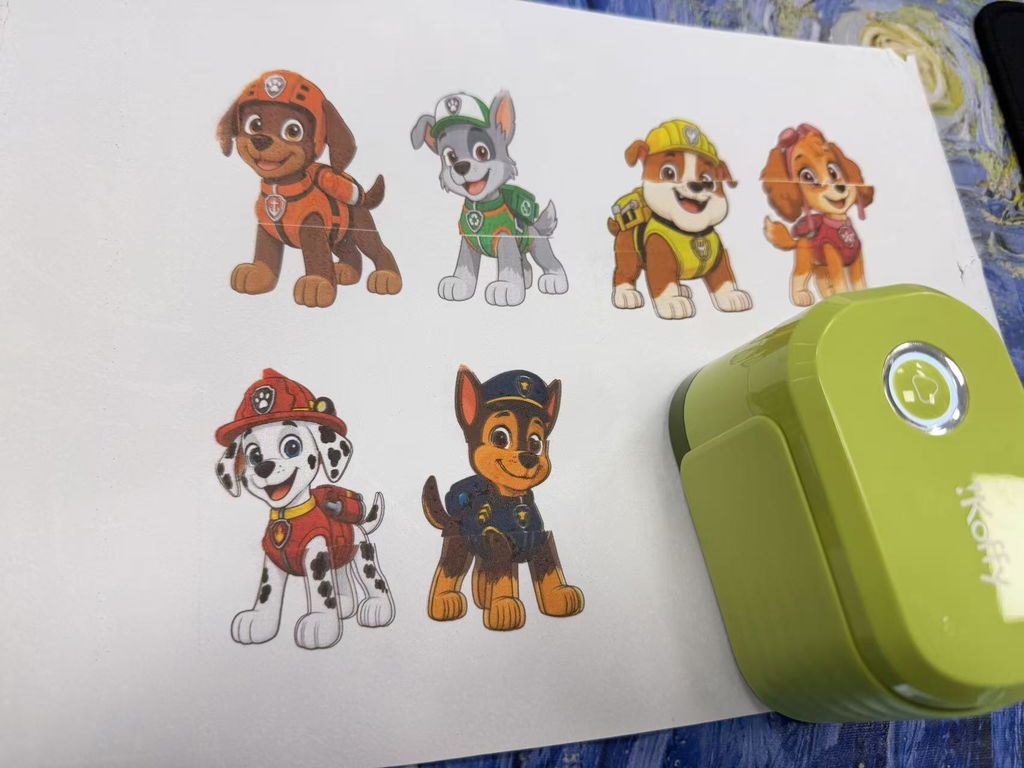
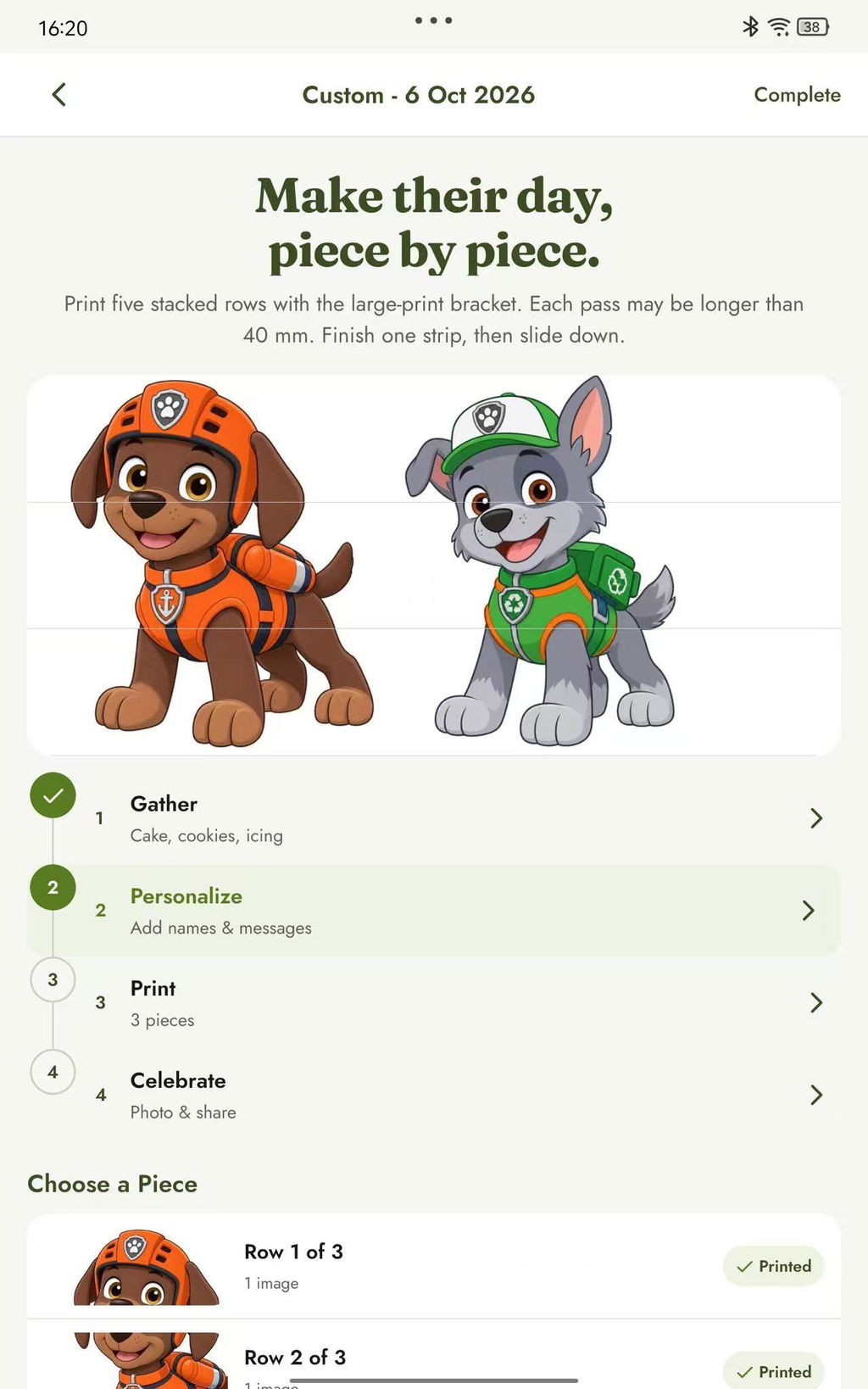
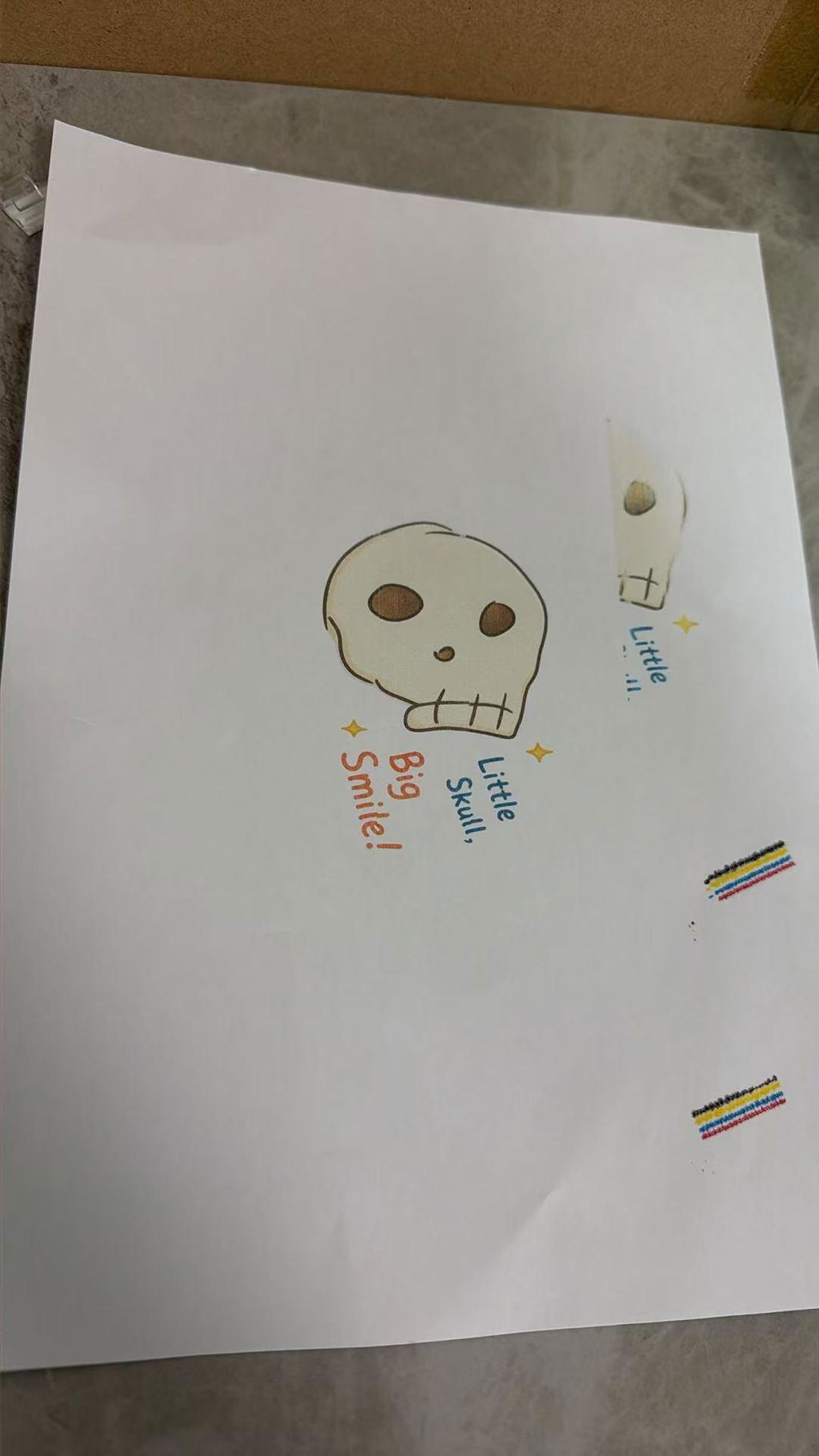
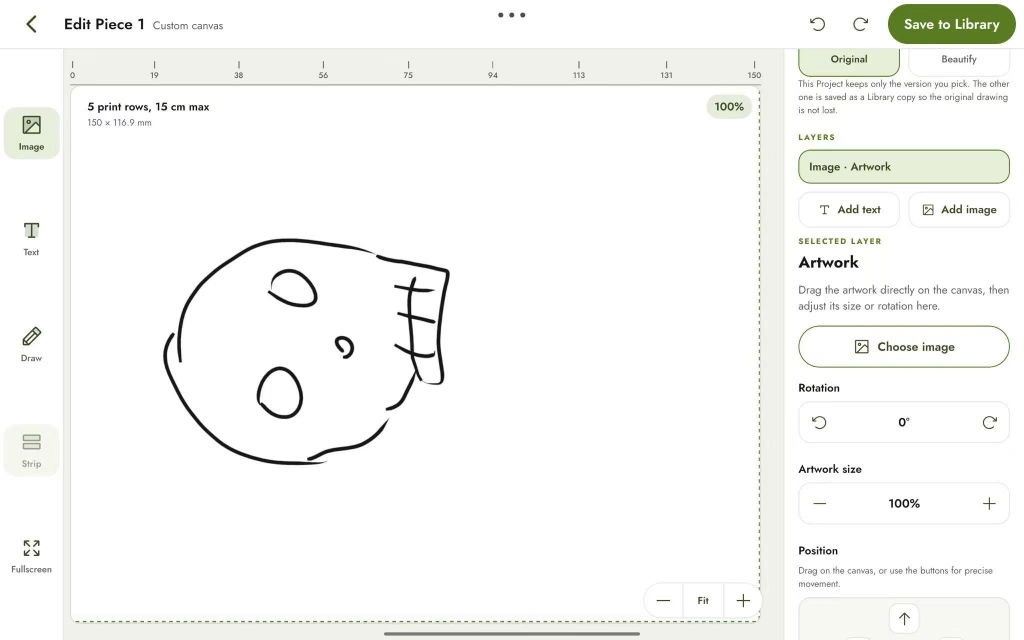
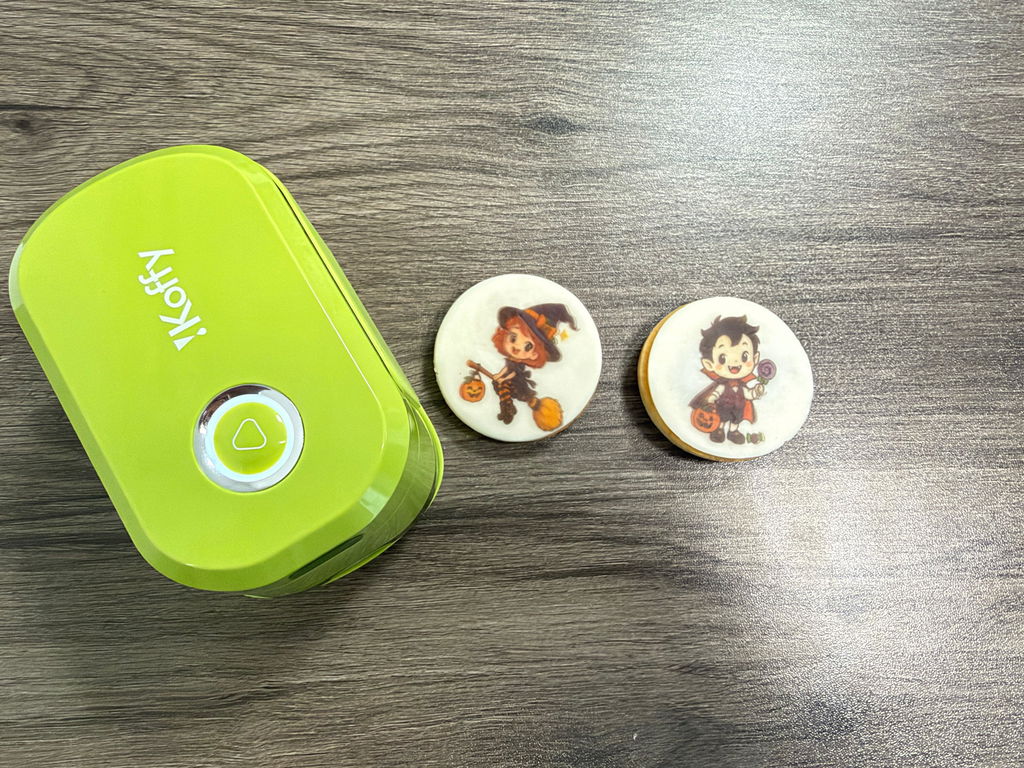
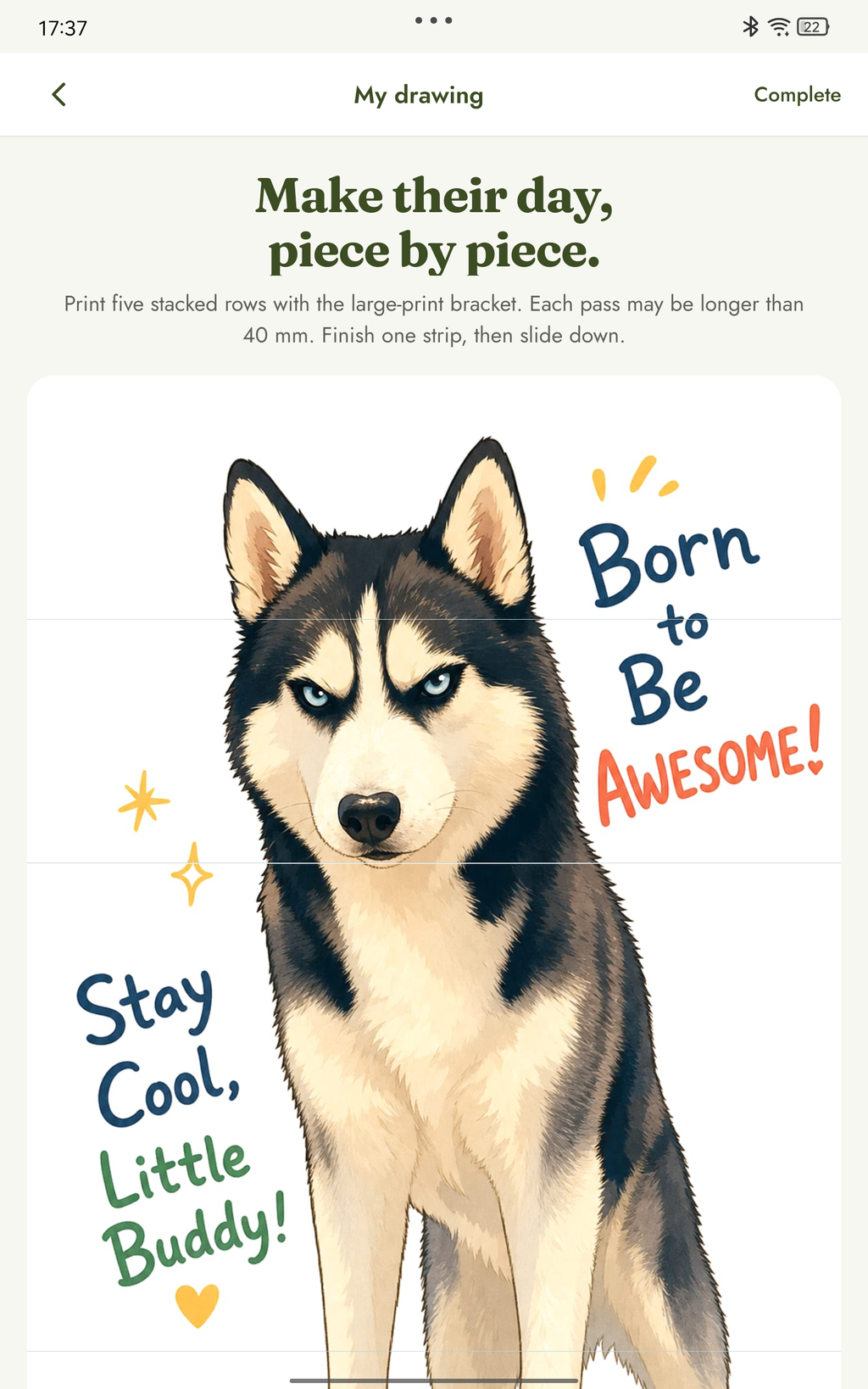
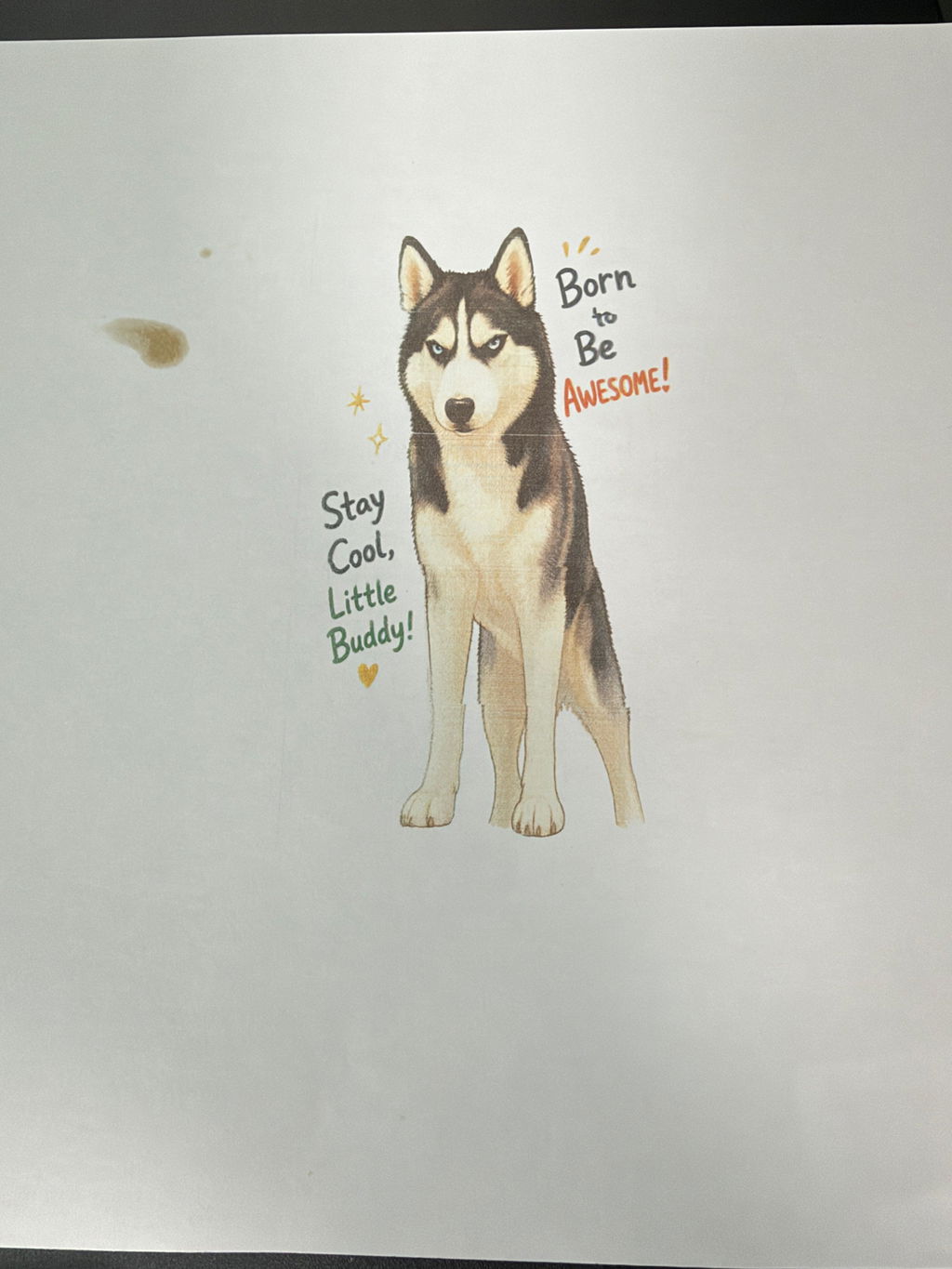
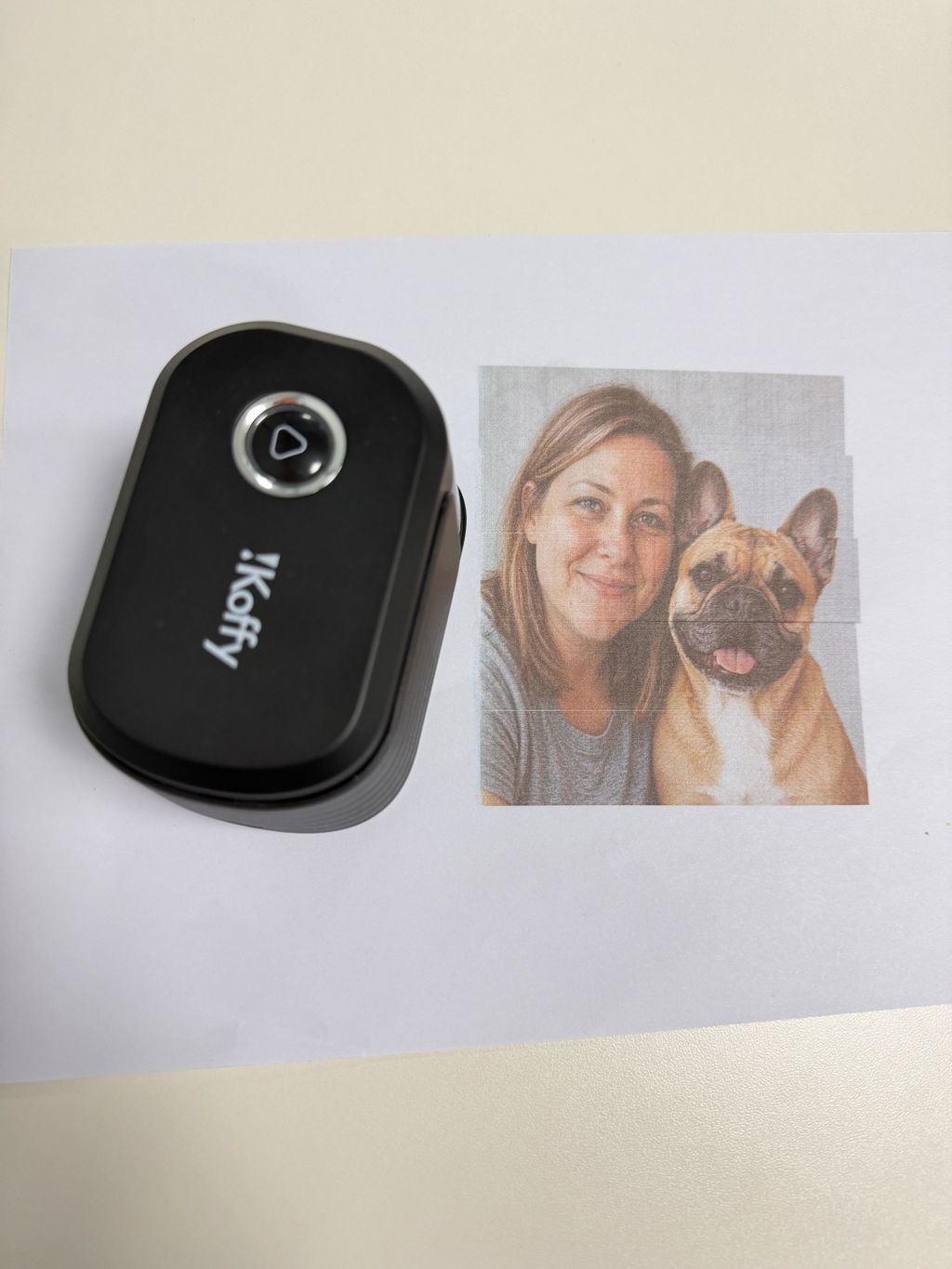
Product views, process and real results
Local preview: checkout disabled
¥53,000
¥48,100
EdiBot Portable Food Printer
Make It Personal. Make It Edible.
- Direct printing on compatible foods
- Full-color edible printing
- Create with HomeSpark
- Kosher-certified edible ink
Choose your EdiBot set
Why EdiBotCore benefits
- Personalize your favorite treats
- Print photos, names and drawings on compatible food surfaces.
- Create with HomeSpark
- Upload a photo, capture a drawing or explore AI-assisted designs in the app.
- Print in full color
- Bring colorful designs to suitable foods and edible decorations with EdiBot Ink Pods.
- Print where you bake
- Move the compact wireless printer between your kitchen counter and baking workspace.
- Make treats to share
- Personalize birthday cookies, party favors and gifts.
Good to KnowInk, care & support
- Kosher-certified edible ink
- EdiBot uses food-grade CMYK edible ink.
- Print directly on supported surfaces
- Print directly on smooth, dry royal icing and other compatible surfaces. You can also print on an edible sheet to decorate a treat.
- No design experience needed
- Prepare your artwork in the HomeSpark app.
- Replaceable Ink Pods
- Swap in a compatible EdiBot Ink Pod when the ink runs out.
- Ink Care support
- Check your set’s offer for coverage and the Ink Care terms for eligible cartridge issues.
- Start without a subscription
- HomeSpark includes free tools. Certain advanced features use credits.
ShippingDelivery details
- Shipping eligibility
- Shipping options, rates and delivery estimates depend on your destination. Check the shipping policy for details.
- Tracking your order
- Tracking information is provided after shipment.
EdiBot CareInk care & support
- Ink Care
- Get help with eligible cartridge issues under the terms of your plan.
- Product assistance
- 1-Year Warranty & Free First Print Support Included
- Returns and refunds
- See the return policy for deadlines, eligibility and return shipping.
Product Description View details Hide details
EdiBot — The World’s First AI-Powered Handheld Full-Color Food Printer
Turn your favorite moments into edible art.
Make everyday food more personal with EdiBot. Pair it with the free HomeSpark app to turn photos, drawings, messages, and AI-generated designs into full-color edible creations.
From a child’s drawing on a cookie to a sweet message on a latte, birthday treats, and personalized gifts, EdiBot brings your ideas to life—and gives everyone something to smile about.
-
Turn everyday treats into personal surprises!
Print your favorite photos, heartfelt notes, or playful messages on food. Whether it’s a morning “You’ve got this!” or a birthday wish, these little touches make familiar treats feel extra special. -
Made for family time!
Print your children’s drawings on cookies, personalize birthday desserts, or create holiday-themed designs together. Make the creative process part of the memories you share. -
Make games, gifts, and gatherings more fun.
Add conversation starters to date-night desserts, print names on party snacks, or include personalized wishes in graduation gift boxes. Give everyone something to discover, enjoy, and share. -
Create designs that are uniquely yours with HomeSpark.
Start with a photo, a drawing, a blank canvas, or just a few words. Explore ideas with AI, then edit, save, and reuse your designs in HomeSpark. No design experience needed. -
From your kitchen to your favorite café.
With EdiBot, it’s easy to personalize lattes, cookies, cakes, and macarons—or create edible decorations for your next celebration. Its compact, cordless design lets you bring your creativity to family gatherings, cafés, and events.
Small device. Endless possibilities.
-
Full-color detail at up to 1200 DPI.
Bring photos, illustrations, and text to food with full-color CMYK edible ink and a print resolution of up to 1200 DPI. -
Wireless Bluetooth connectivity.
Prepare your design in HomeSpark, then send it wirelessly to EdiBot to begin your next creation. -
Up to 3,000 prints per cartridge.
Keep creating with replaceable EdiBot ink cartridges. Actual print yield varies depending on design size, ink coverage, and maintenance. -
More ways to personalize.
Explore suitable food surfaces, icing sheets, wafer paper, fondant, and edible decorations. Selected absorbent materials—including cards, gift boxes, napkins, and ribbons—let you carry the same design throughout your event.
Print results vary depending on surface texture, moisture, coatings, and preparation. Use compatible EdiBot ink cartridges and follow the included setup, operating, and care instructions.
Dream it. Create it. Print it on food.
Swipe for more sections
Small Device. Big Possibilities.
- APPROX.5s
- 4× the transfer speed of our previous version.
- UP TO1200DPI
- 2× the resolution of mainstream 600 DPI printers.
- CMYK
- The lightest handheld full-color printer.
- APPROX.3,000
- Large designs per Ink Pod. Small names or logos can exceed 5,000 prints.
Create With HomeSpark.
A free app to create, edit, save and share, with or without EdiBot.
Supports current and previous EdiBot models and both Ink Pod types.
Why Choose EdiBot?
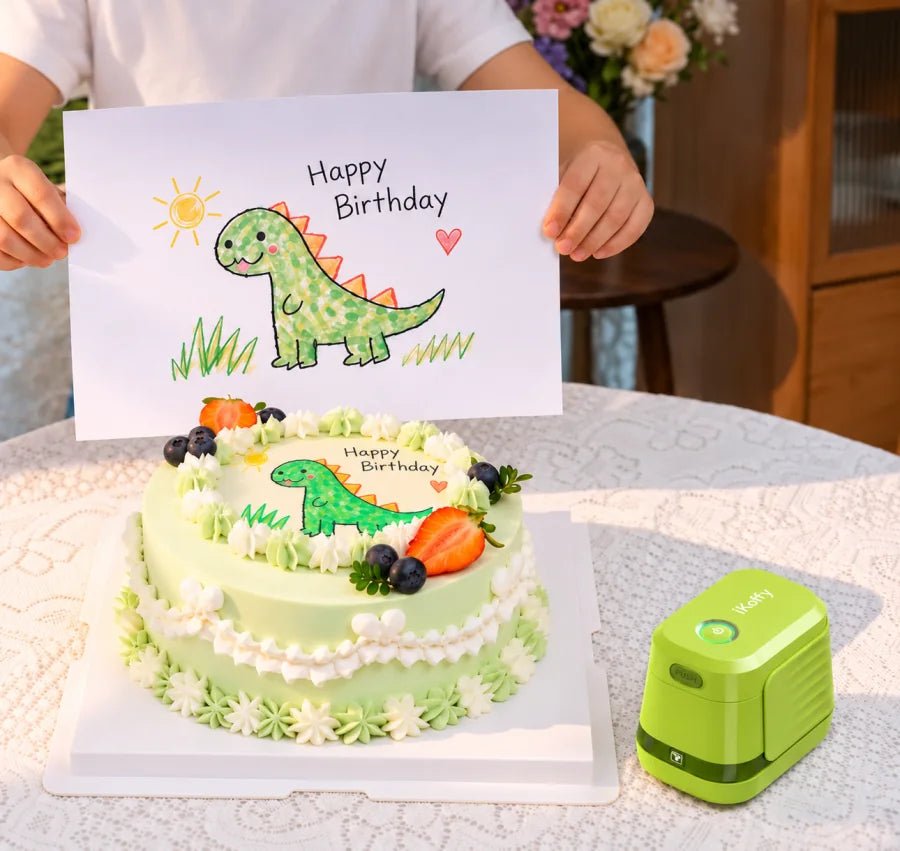
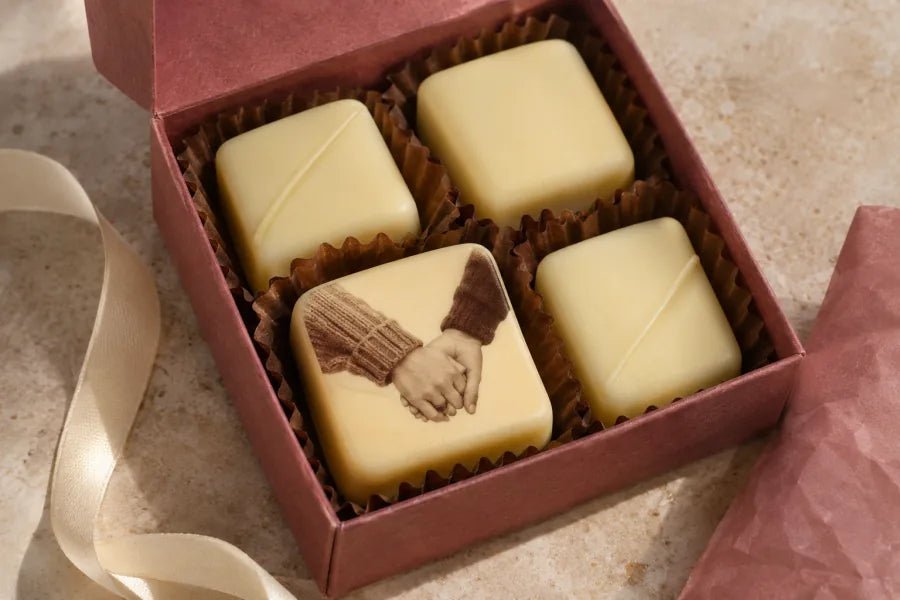
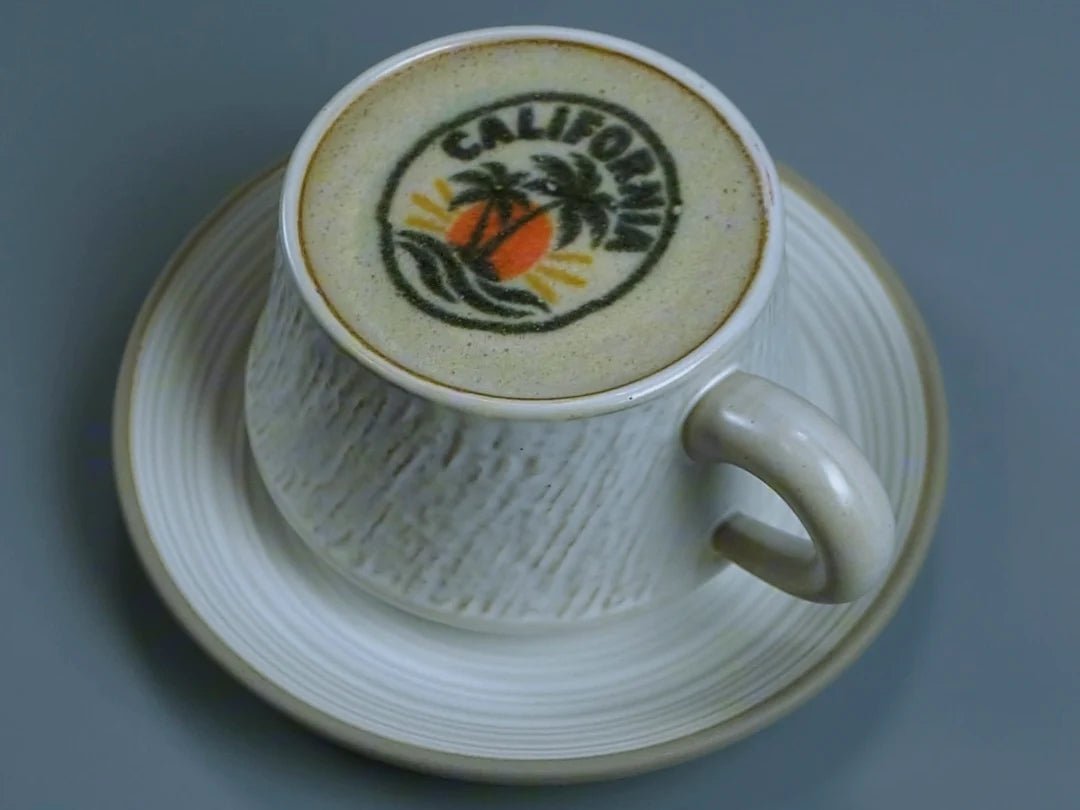
What Can You Print On?
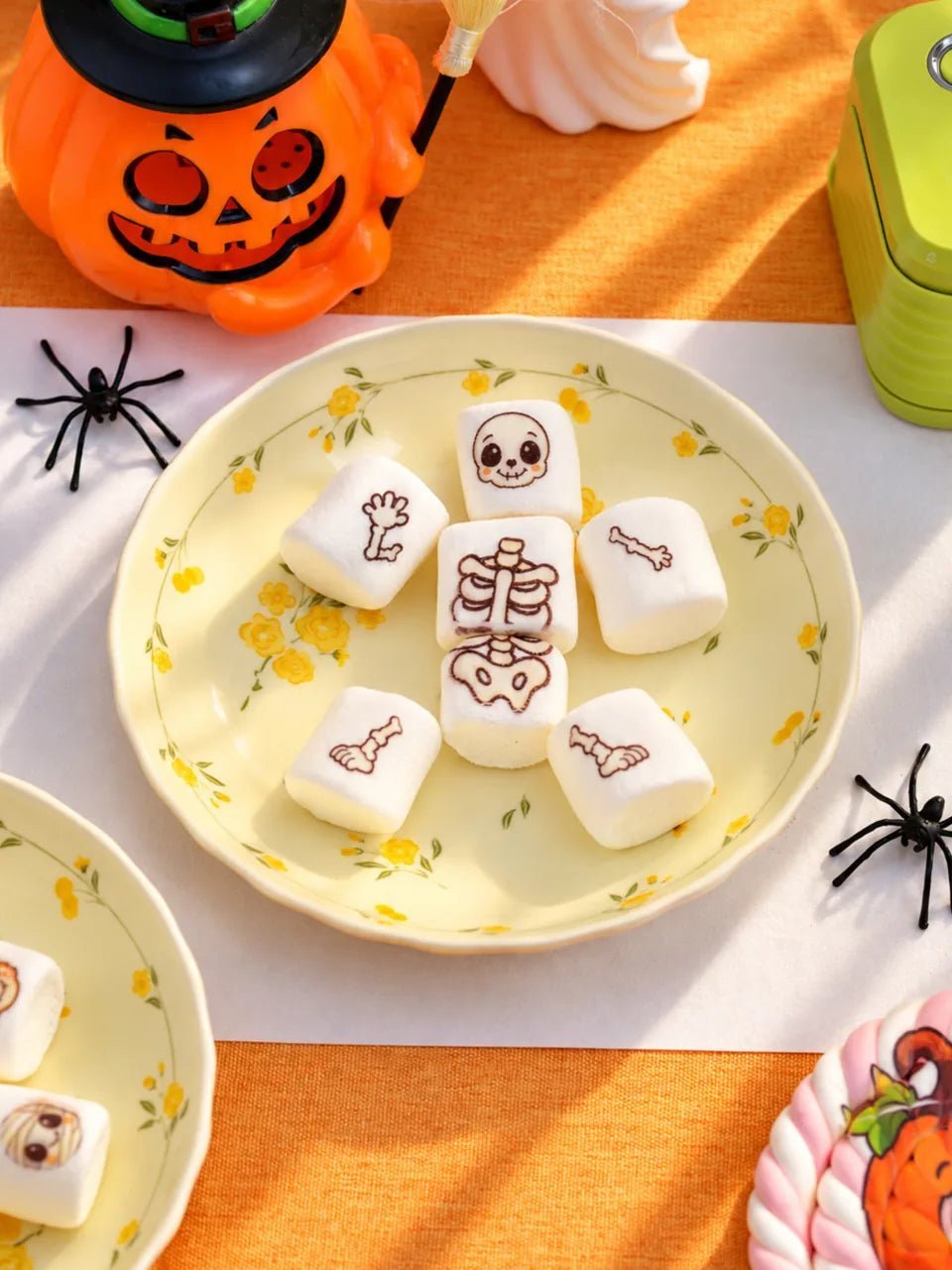
Skeleton Marshmallows
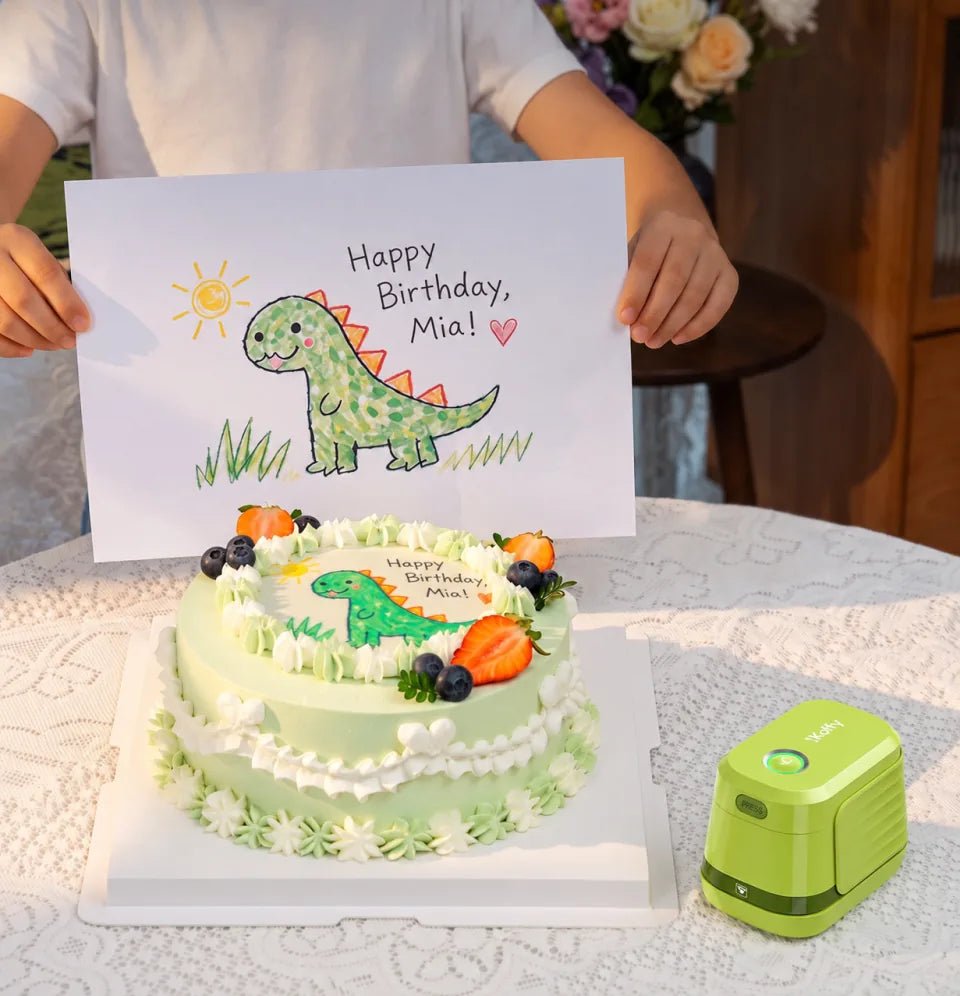
Cakes
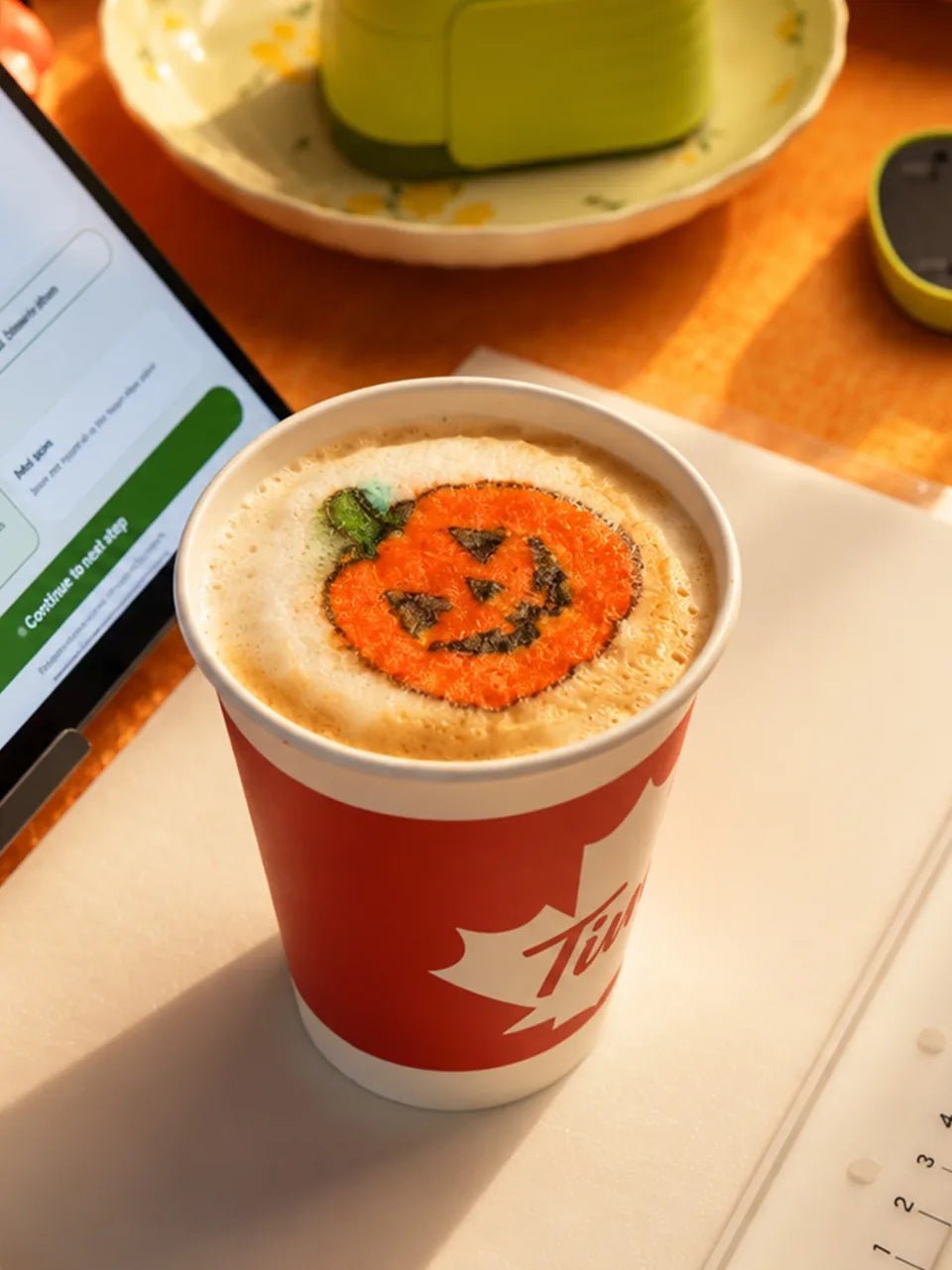
Coffee
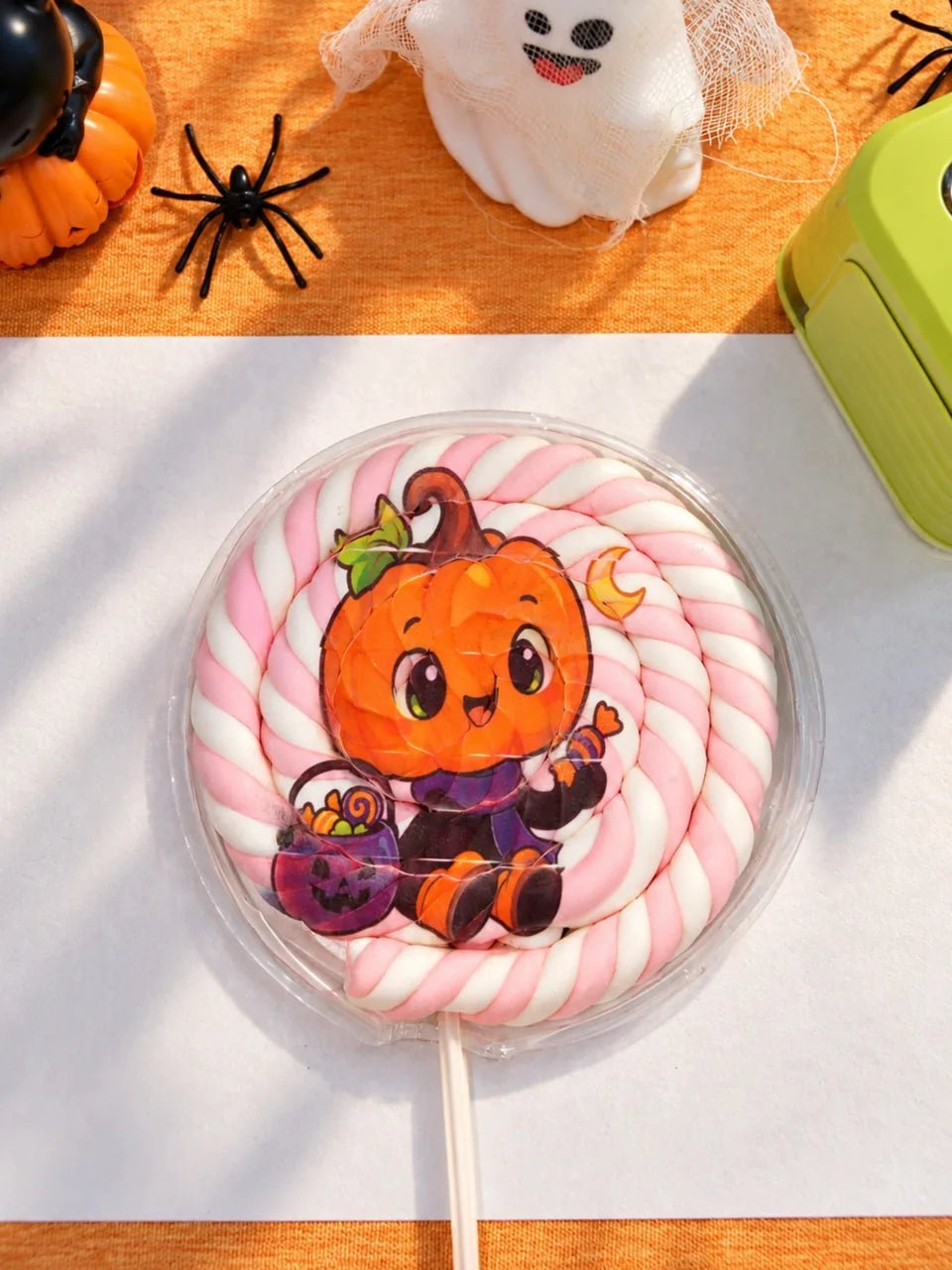
Marshmallow Pops
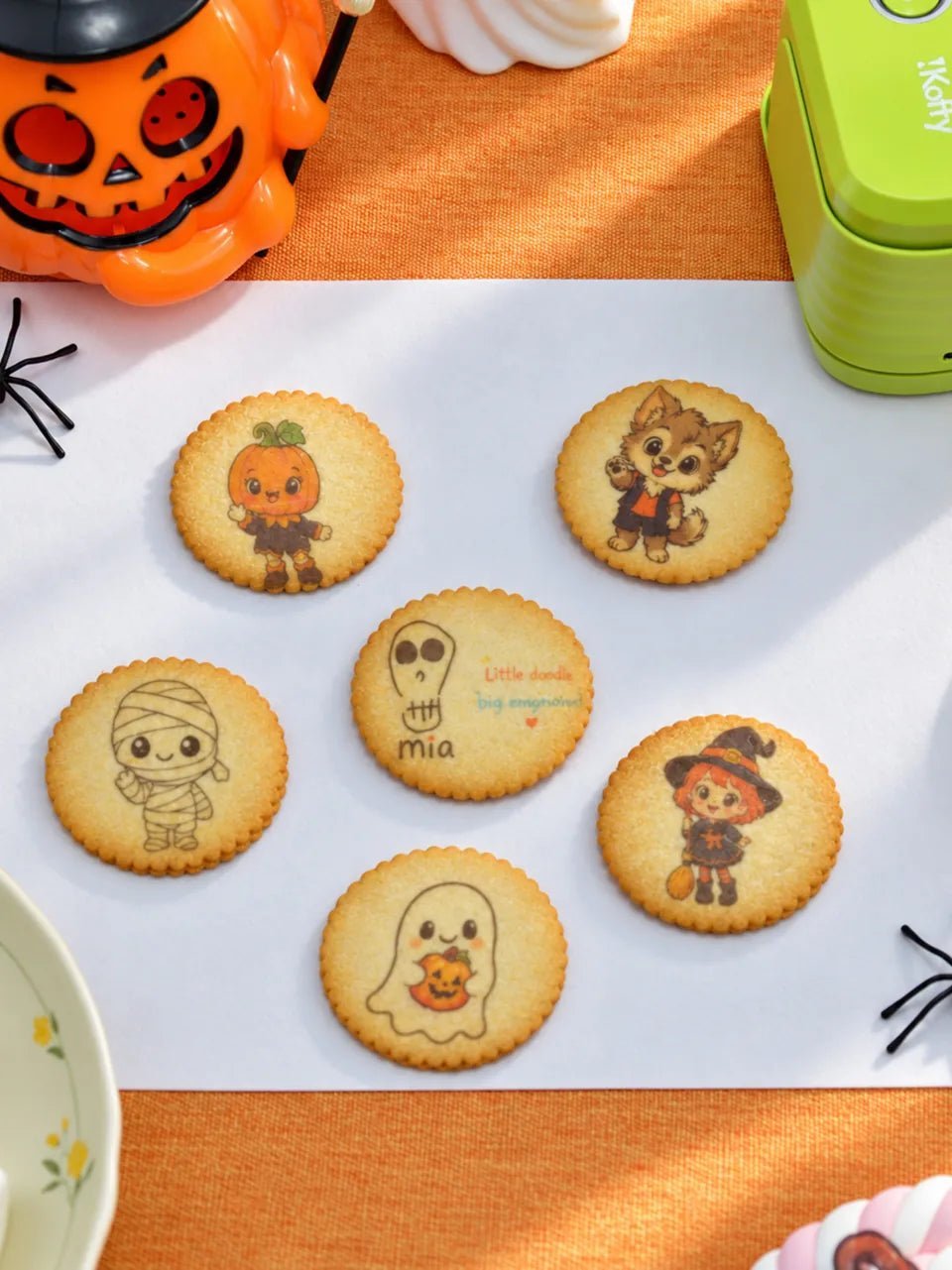
Cookies
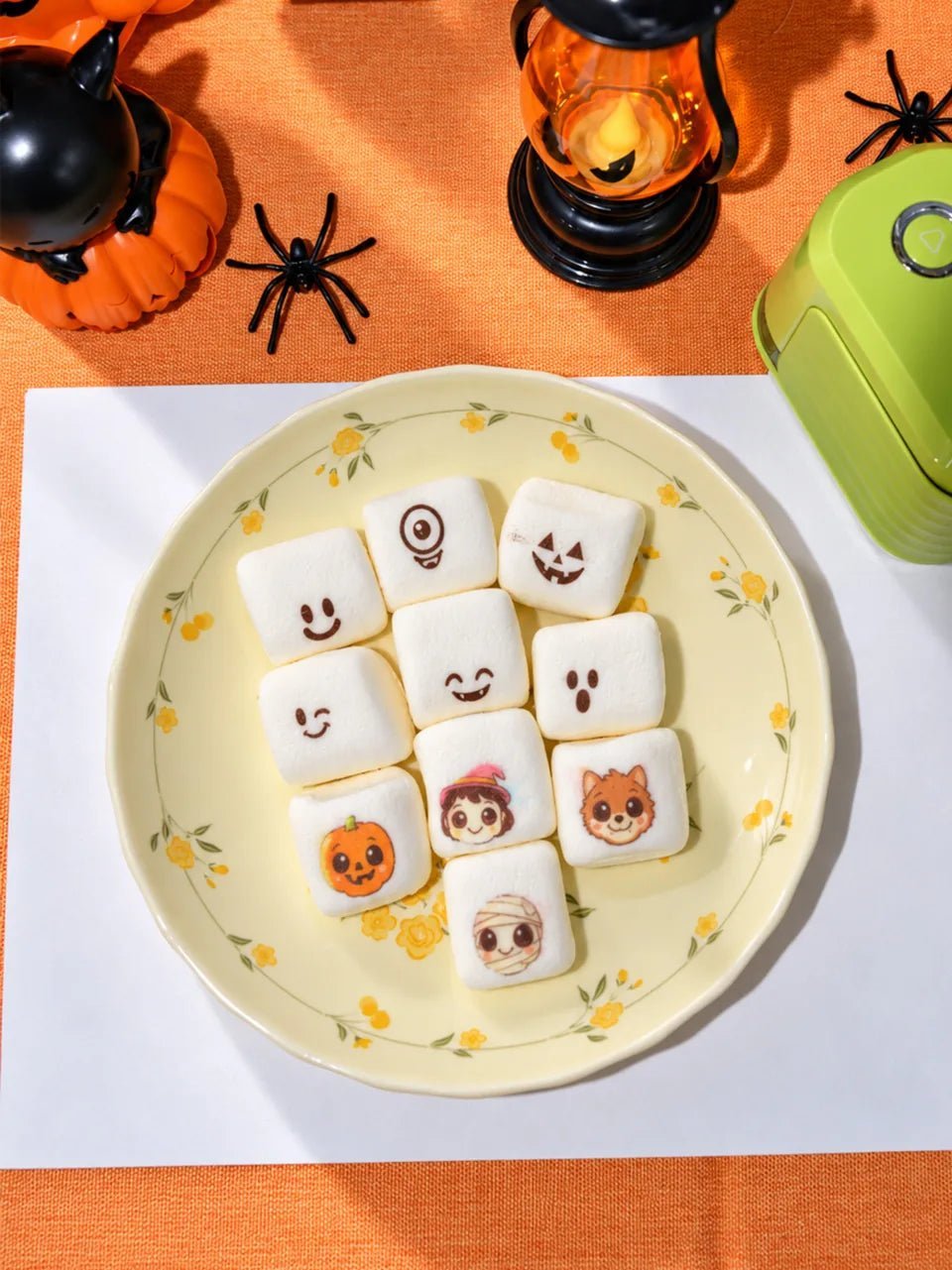
Marshmallows
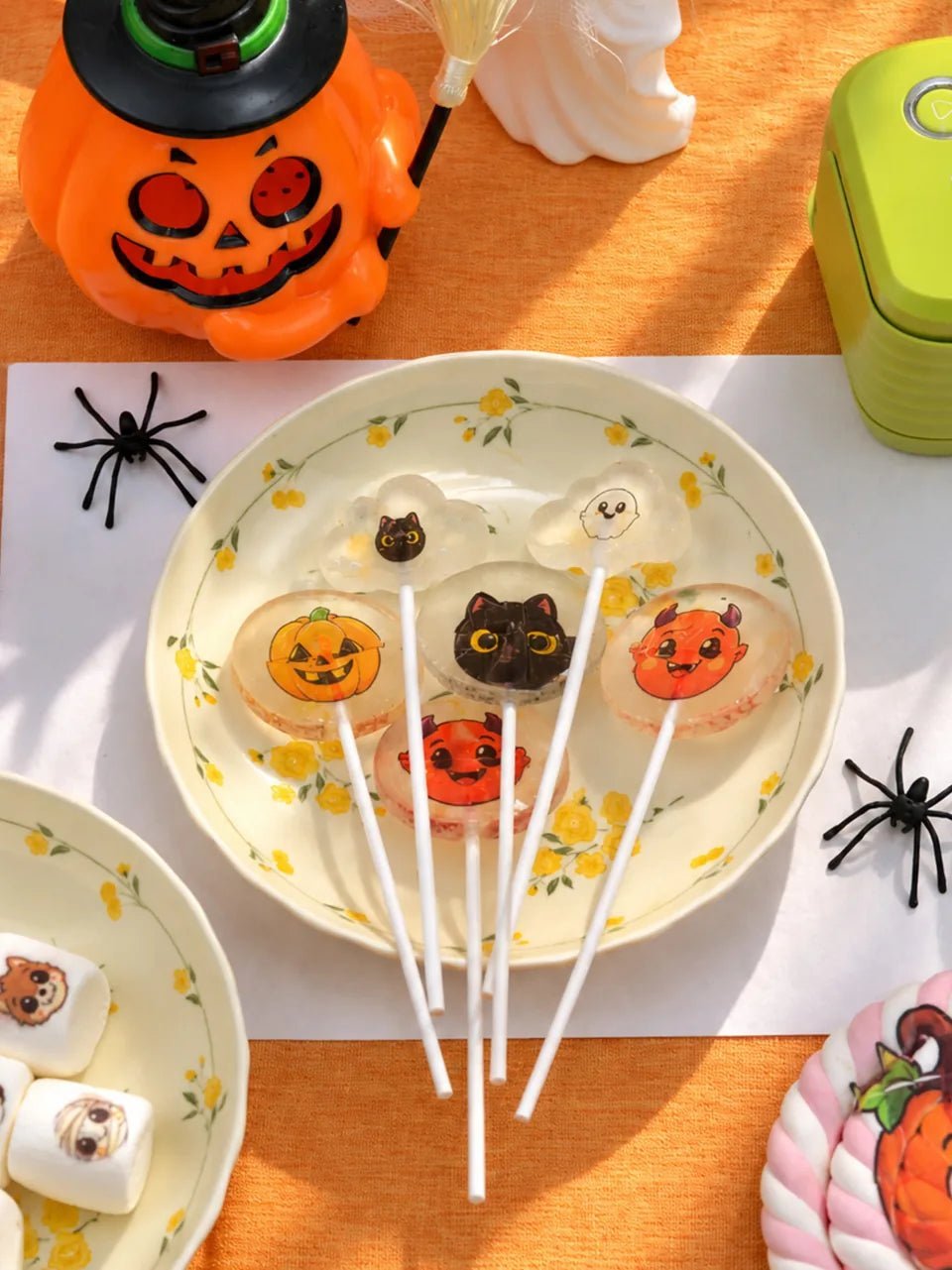
Lollipops
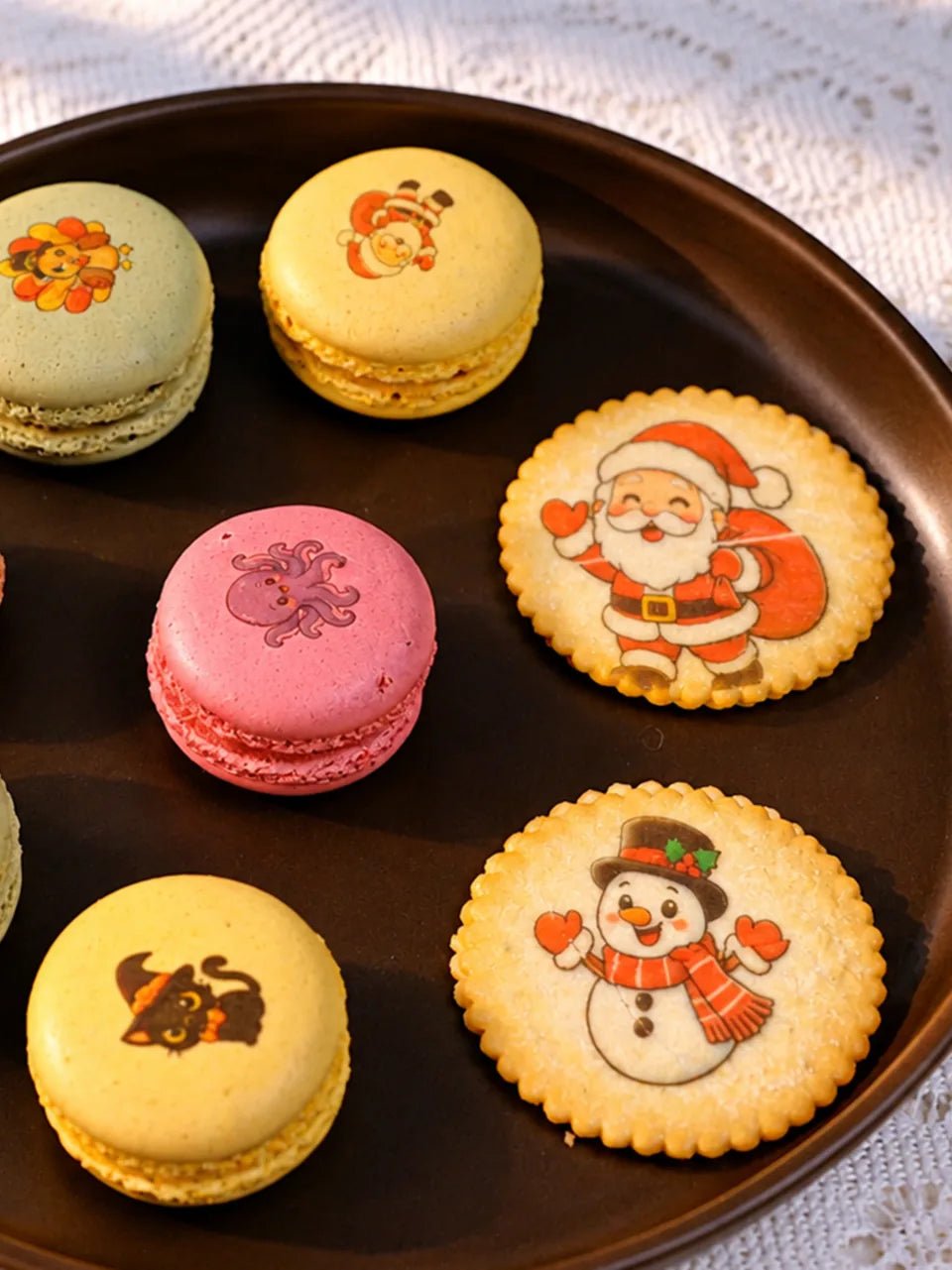
Macarons
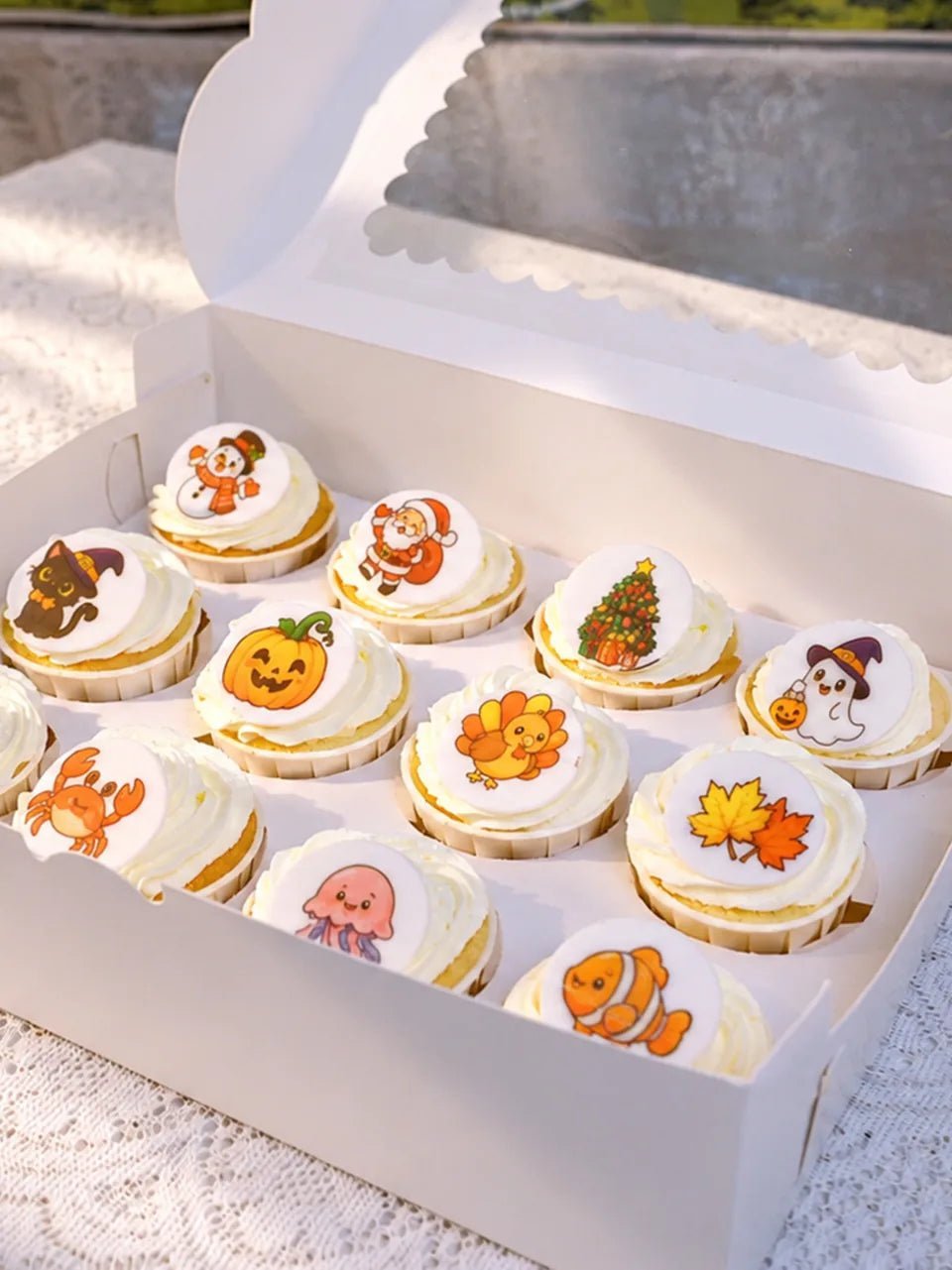
Cupcakes
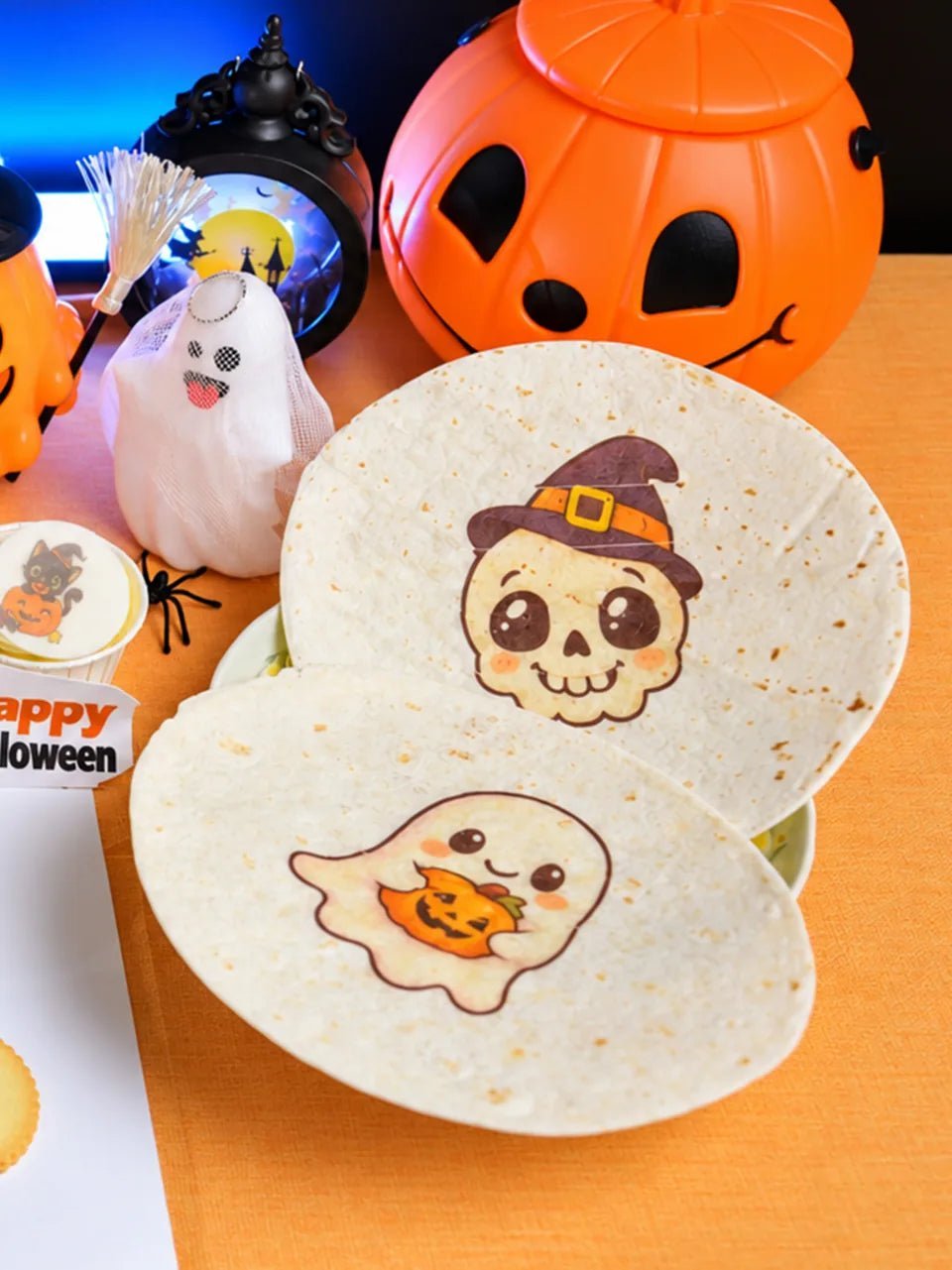
Tortillas
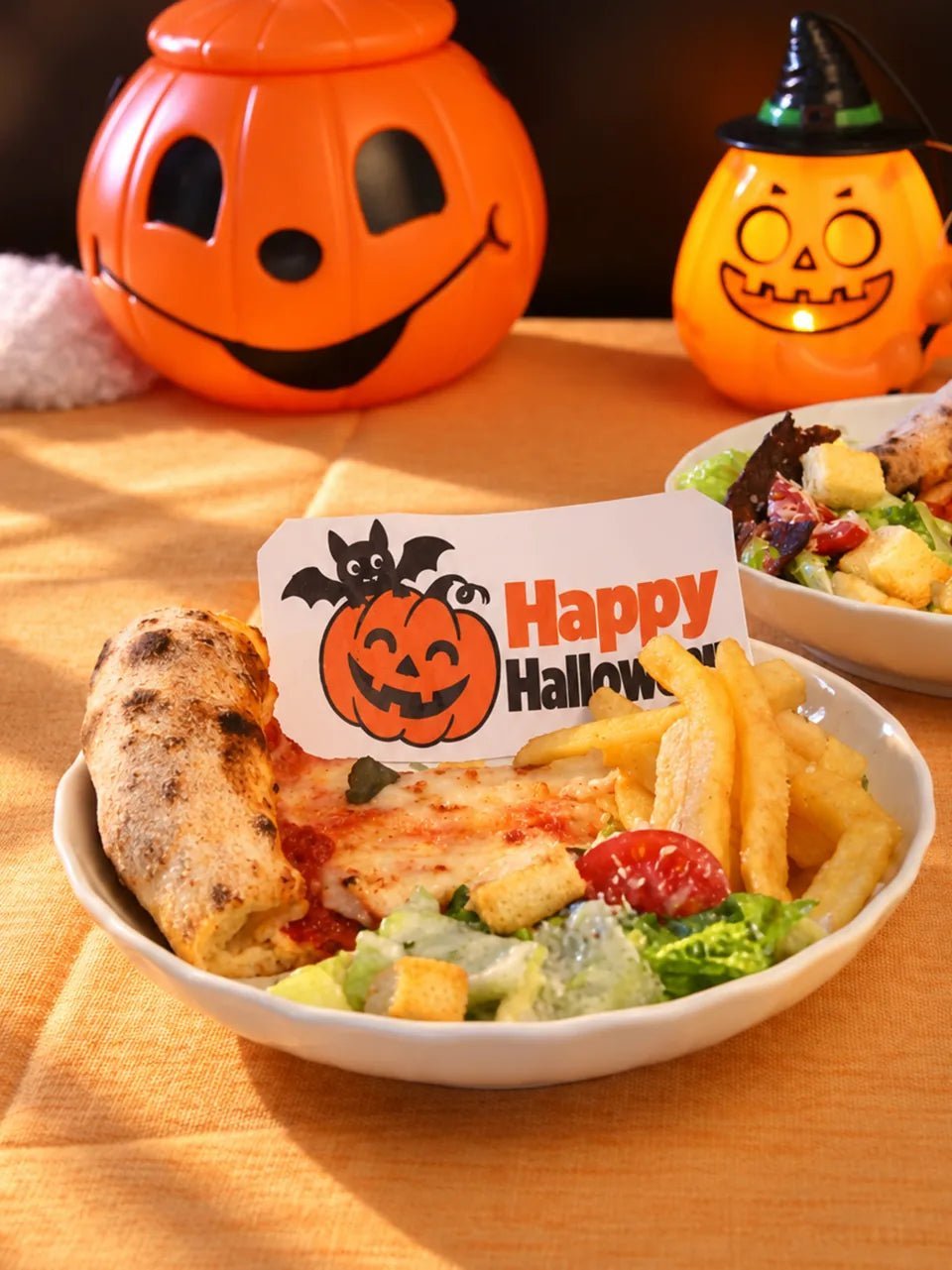
Icing Sheets
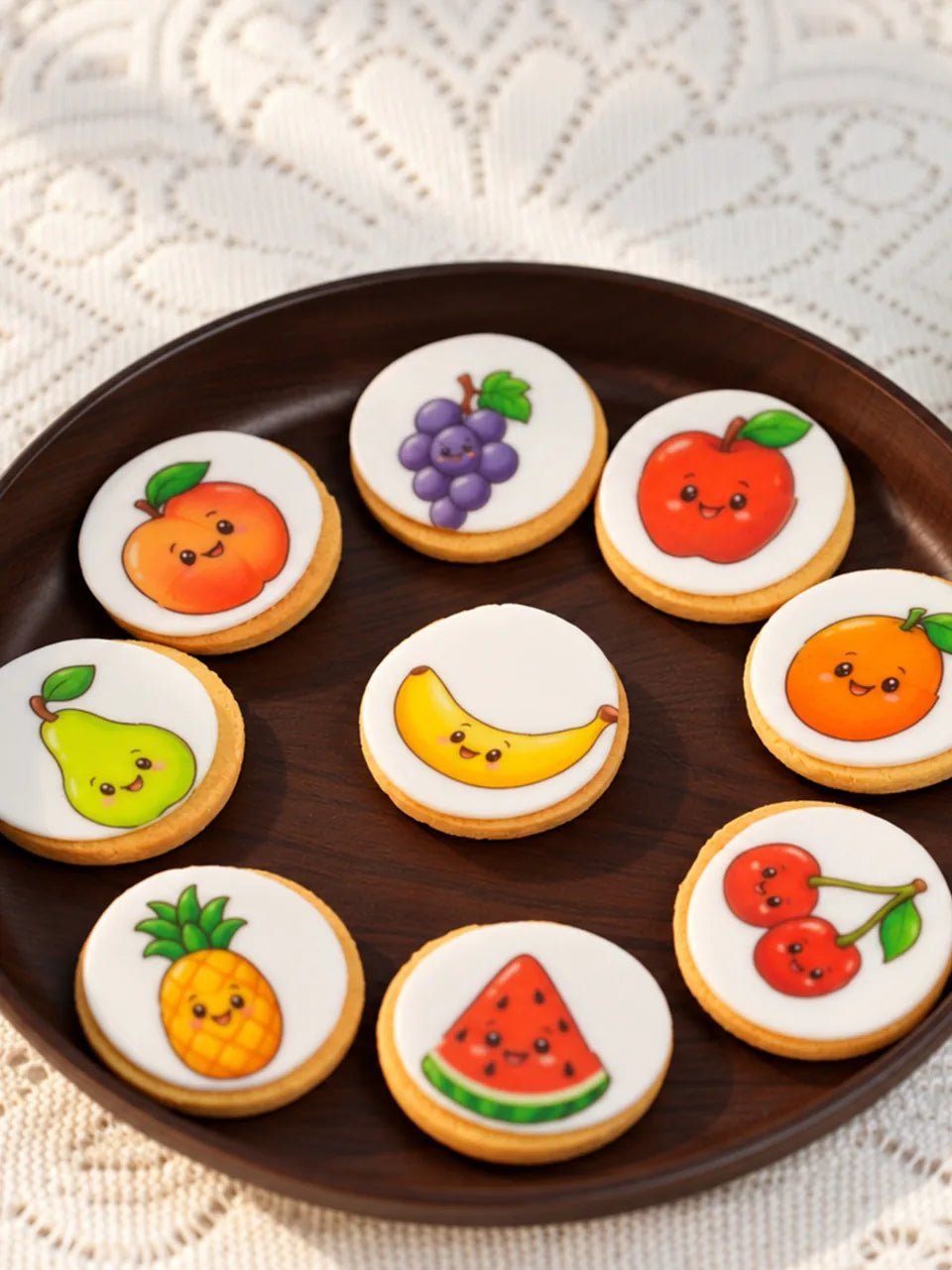
Iced Cookies
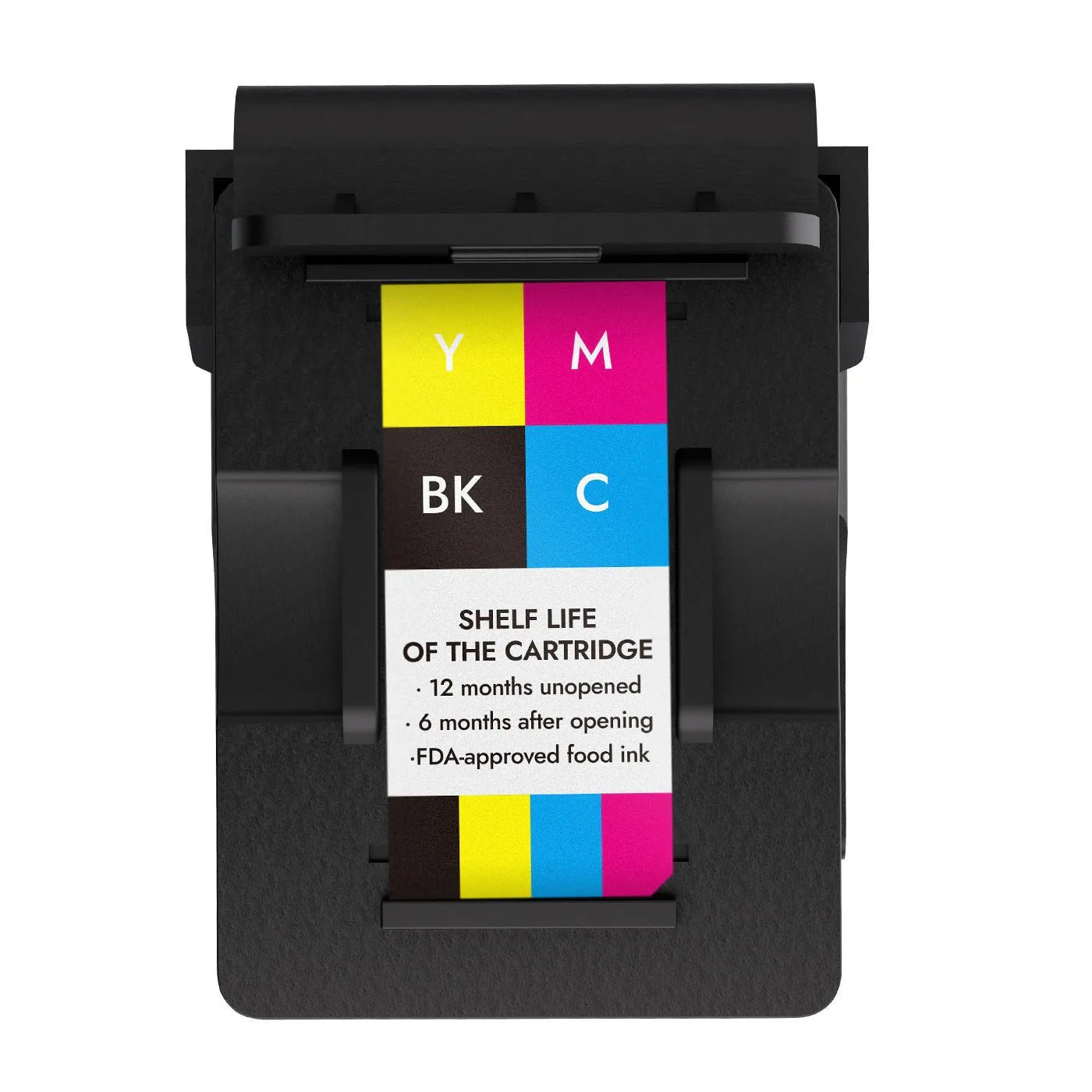
- Cyan
- Magenta
- Yellow
- Black
CMYK edible ink
Is the ink safe?
Made with food-grade ingredients and tested by multiple laboratories, our CMYK edible inks are designed for printing directly onto food—so you can create with confidence.
-
Kosher certified

- Our edible inks are certified Kosher by the Orthodox Union (OU).
- FDA certified
- Independently assessed
- An independent safety assessment supports Generally Recognized as Safe (GRAS) status for their intended use in food printing.
Ingredients & their roles
Explore the ingredients in our edible inks and the role each one plays.
| Ingredient | Amount (w/w) | Role in the ink |
|---|---|---|
| Water | 67% | The liquid base that carries the other ingredients. |
| Glycerol (glycerin) | 10% | Helps retain moisture and adjust the ink’s consistency. |
| Propylene glycol | 20% | Helps dissolve ingredients and retain moisture. |
| Polysorbate 20 | 1.2% | Helps ingredients mix and supports wetting and spreading. |
| Potassium sorbate | 0.1% | A preservative that helps limit microbial growth. |
| Citric acid | 0.5% | Adjusts the acidity of the ink. |
| Colorants | Approx. 1.2% | Provide the color used to create printed designs. |
How do I care for EdiBot after printing?
After each print, turn off EdiBot, then place it back on its base. Avoid leaving the printhead exposed to air for extended periods. This helps prevent ink from drying and clogging the printhead, which can affect your next print.
Choose Your Set.
Every Set Includes1 EdiBotFree HomeSpark appCore accessoriesFirst Print Support
EdiBot Family Set
BEST LAUNCH VALUE
EdiBot Family Set
For family celebrations, personalized gifts and everyday creativity.
- 1-Year Ink Care
- Optional add-on
- Large-format Positioning Ruler
- Optional add-on
Ready-to-Serve Set
For frequent printing, bakers and custom-order creators.
- 1-Year Ink Care
- Optional add-on
- Large-format Positioning Ruler
- Optional add-on
Frequently Asked Questions.
What foods can I print on? Do I need edible paper?
You can print directly on smooth royal icing, macaron shells and latte foam. For iced cookies, let the icing dry completely and print before adding raised piping. To decorate a frosted cake with a photo or message, print it on an icing sheet, cut it out and place it on the cake. For small chocolates, white chocolate gives better contrast than dark chocolate. Try a sample at the size you plan to serve. Watch the cookie and cake demos.
What should I do if my print is blank or the colors look wrong?
Turn on EdiBot, place it on plain white paper and hold the print button until it beeps. You should see four continuous lines, one each in cyan, magenta, yellow and black. If a line is faint or missing, gently wipe the printhead with a soft cloth lightly dampened with warm water, then test again. If all four lines look good, reconnect in HomeSpark and retry your design. If the problem continues or you see ink leaking, email your order number, a photo of the test and a short video to support@ikoffy.com.
Which app do I need, and where can I download it?
Use KitchQ HomeSpark, the free EdiBot app for iPhone and Android. If the QR code in your booklet opens an unavailable listing, use the App Store or Google Play button on our official download page. Once installed, open HomeSpark, sign in and connect to EdiBot via Bluetooth. Download HomeSpark · Watch the tutorials.
How large can I print, and how do I center a design on a cookie?
A single pass prints a band up to 23.3 mm (0.92 in) wide. HomeSpark supports up to five rows for a total print area of about 12 × 15 cm (4.7 × 5.9 in), enough for a 3 × 3 in logo. For a 5 × 5 cm logo, select three rows in the app. Preview the size, then line up the ruler with the center of your cookie. Hold the ruler still and slide EdiBot straight along it. Finish each pass before lifting the printer to line up the next row. For three to five rows, use the large-format positioning ruler.
Does EdiBot come with ink? How many prints can I get from one Ink Pod?
<p>The <strong>Family Set</strong> includes one full-color CMYK Ink Pod. The <strong>Ready-to-Serve Set</strong> includes two. If you print only large designs, one Ink Pod may give you around <strong>3,000 prints</strong>. With small designs, such as names or small logos, one pod can produce <strong>more than 5,000 prints</strong>. The actual number depends on design size and ink coverage. Replacement pods are sold separately for <strong>US$100 each</strong> in our U.S. store. <a href="/products/edible-ink-cartridge">Check pricing for your location</a>.</p>
Can I print my own photos, logos or Canva designs?
Yes. Save your photo or logo to your phone. If you designed it in Canva, export the finished design as an image first. Open Blank Canvas in HomeSpark, add your image, adjust its size and preview it. Then send it to EdiBot via Bluetooth. Watch the Blank Canvas demo.
Where can I find the ingredients in EdiBot edible ink?
Open “Ingredients & their roles” on this product page to see what goes into EdiBot’s full-color edible ink and what each ingredient does.
Can I request a kosher certificate for my EdiBot Ink Pod?
Email support@ikoffy.com with the name of the Ink Pod you use or plan to buy. Our team can check which kosher documentation applies to that cartridge.
Can I print the same design at an event without Wi-Fi?
Yes. Sign in to HomeSpark online and save your designs before the event. At your stand, you can send a saved design to EdiBot via Bluetooth without a Wi-Fi router. Once the design is on the printer, press the print button to use it again on the next cookie or drink. Allow time to line up each item, especially for multi-row designs.
How long does the EdiBot battery last on a full charge?
2–3 hours on a full charge. Actual battery life depends on the size of your prints and how often you use the printer.
Is EdiBot edible ink suitable for dog treats?
Our ingredient and safety documentation covers food for people. We have not verified the ink for use in dog treats. If you make pet treats for sale, review the ingredients with a qualified pet-food formulation specialist before using it.
Technical Specification
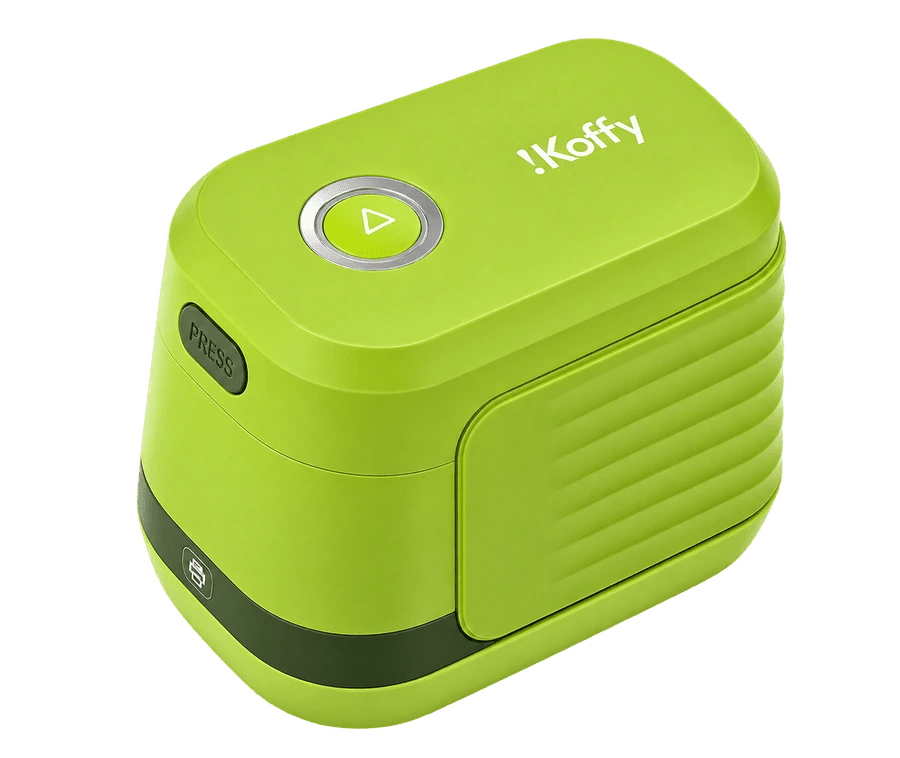
EdiBot Portable Food Printer
Ink Certification
- Kosher-Certified; FDA Compliance Documentation
Product specs
- Model: IP01
- Dimensions: 3.9 × 2.7 × 2.8 in (98.92 × 67.47 × 70.5 mm)
- Weight: 5.8 oz (165 g)
- Connectivity: Bluetooth LE 5
- Battery capacity: 550 mAh
- Charging: USB-C, DC 5 V / 0.5 A
- Working time: 2–3 hours per full charge
Software
- App: KitchQ HomeSpark
- Platforms: iOS and Android
- Design tools: Photo uploads, templates and AI image creation
Print specs
- Printing technology: Full-color edible ink printing
- Resolution: Up to 1200 DPI
- Single-pass width: Up to 0.92 in (23.3 mm)
- Multi-row printing: Up to 5 rows
- Image area: Approx. 4.7 × 5.9 in (12 × 15 cm)
Ink & materials
- Ink type: Food-grade CMYK edible ink
- Cartridge yield: Approx. 3,000 large or 5,000+ small prints
- Shelf life: Up to 12 months unopened
- Surfaces: Smooth, fully dried royal icing, macaron shells and suitable edible paper
- For cakes: Print on edible paper, then cut and apply
Make It Personal.
First Print Support included
Secure checkout
Pay in 4 with Shop Pay when available
Your selection
EdiBot Family Set
Color: Green
¥53,000
¥48,100
Ink Care optional